Virtual lab: Chemical & Process
Virtual chemical engineering lab with a water treatment model
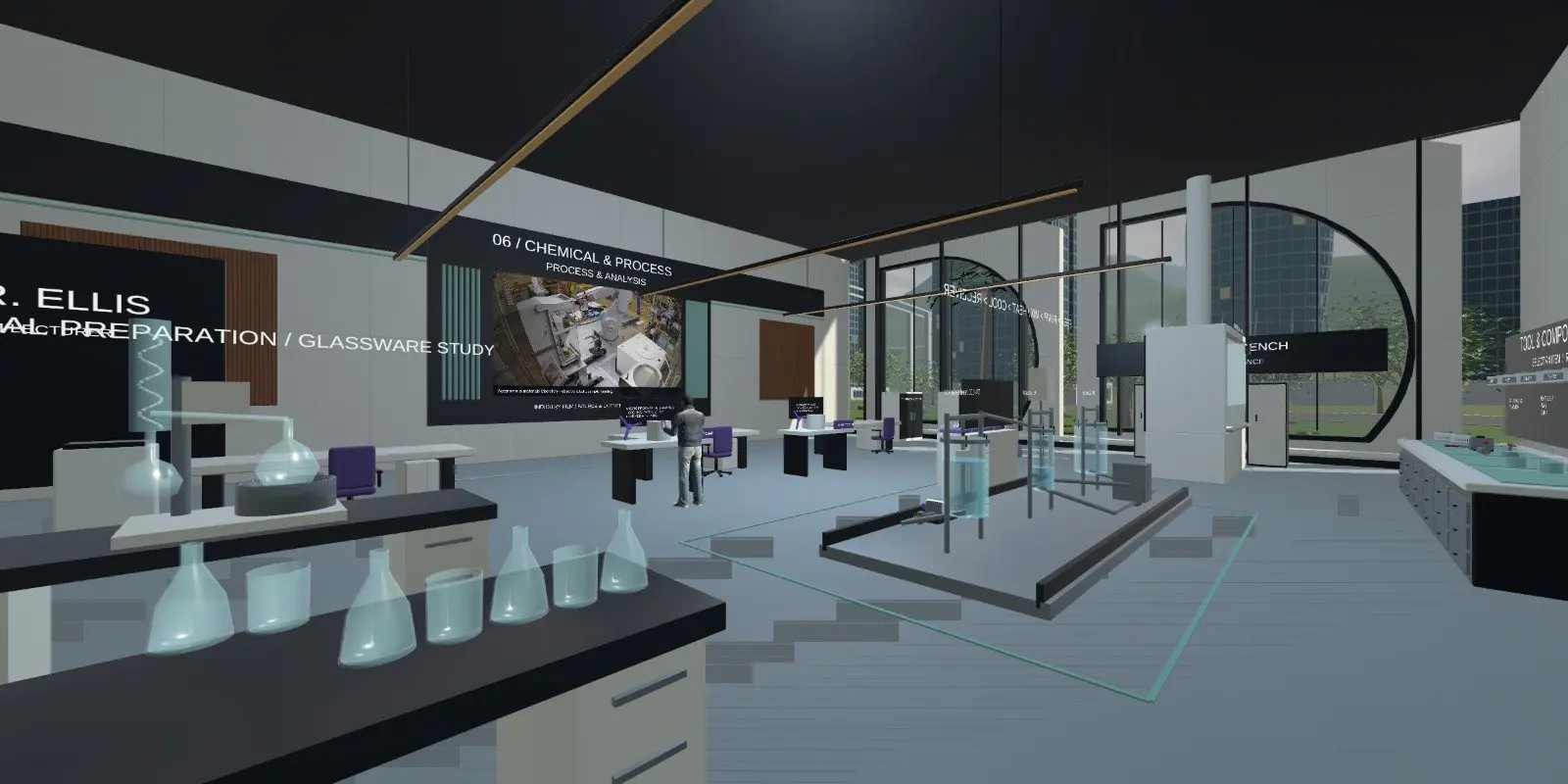
The iUNI virtual chemical engineering lab has glassware, process rigs and a water-process teaching model with tanks, mixing and heat input. Learners read the process console, change a control and watch temperature and process feedback respond. It opens in a browser or VR headset and is a teaching model, not a validated simulator.
Live at lab.iuni.ai · no install needed
What is inside the virtual chemical engineering lab?
The Chemical and Process department holds glassware and process rigs, and a water-process teaching model that the lab guide describes in detail. Learners reach the room through the lab library, where equipment reference information is also available.
- Tanks, with visible state.
- Mixing and heat input.
- A process console to inspect tank state, mixing and heat input.
- Visible process state with temperature and process feedback.
- Water treatment equipment in the department.
- A room lecturer to explain the displayed context.
What can learners practise on a process control training simulator?
Learners open the lab, check the equipment reference and inspect the tank state, mixing and heat input on the console. They change an available control and watch temperature and process feedback over time. They can compare enabled and inhibited states.
The skills here are reading process variables, spotting dependencies and connecting a control change to a process response. These are the habits that matter when a learner first meets a plant or a water treatment works.
The guide is clear about scope. The model is for educational water-process concepts only. It is not a chemical recipe, a hazardous-material procedure, a plant design tool or a validated simulator.
Who is chemical plant simulator training for?
Colleges and universities can use it in chemical and process engineering modules as a first view of how tanks, mixing and heat behave together. Training providers can use it to prepare learners for process and water industry courses. Employers can use it to introduce new operators to process thinking before they work on a real plant.
It is not operator certification and not a replacement for supervised plant training.
How do you open the virtual water treatment plant?
Open https://lab.iuni.ai in a desktop web browser, enter a display name and choose whether to switch your microphone on. There is nothing to install. On a VR headset, open the same address in the headset browser, for example the Meta Quest browser, and use the WebXR entry.
Open Chemical and Process from the lab library, then use the process console to start inspecting the model.
How does it compare with a physical chemical lab?
| Virtual chemical lab | Physical chemical lab | |
|---|---|---|
| Handling real glassware and materials | No | Yes |
| Exposure to hazardous substances | None | Controlled, with safety rules |
| Watch a process change over time | Yes, on the console | Yes, but slower and costly to repeat |
| Validated process data | Not claimed | Yes, with real measurements |
| Access outside lab hours | Yes | Limited |
Questions people ask
What is a virtual chemical engineering lab?
It is a 3D chemical lab that learners open on a screen or headset. In iUNI, it holds glassware, process rigs and a water-process teaching model with tanks, mixing and heat input that learners inspect and adjust while watching process feedback.
Is it a validated process simulator?
No. The lab guide states the model is for educational water-process concepts only. It is not a chemical recipe, a hazardous-material procedure, a plant design tool or a validated simulator. Use it to teach reading variables and dependencies.
Can it be used for water treatment teaching?
Yes, as an introduction. The department includes water treatment equipment, and the teaching model shows tanks, mixing and heat input with visible process state. It helps learners see how a control change leads to a process response before they visit a real works.
Does it replace operator training?
No. It is a teaching model for understanding process concepts. It does not replace supervised training on a real plant or any mandatory safety instruction. Treat it as a first step that prepares learners for those sessions and gives them a shared vocabulary.
Do learners need a headset?
No. It opens in a desktop web browser at lab.iuni.ai with nothing to install. Headsets are optional, and a WebXR-capable headset browser, such as the Meta Quest browser, can open the same campus for learners who want to stand inside the process.
Related
See it with your own programmes
Tell us what you teach or train, roughly how many learners, and your timeline. We'll show you how iUNI fits.