Virtual lab: Aerospace
Virtual aerospace lab with avionics benches
The iUNI virtual aerospace lab is a department in the live campus with avionics benches and exhibits. Learners walk through it in a web browser or VR headset, ask an AI lecturer questions and learn alongside others in a shared space. Nothing needs to be installed.
Live at lab.iuni.ai · no install needed
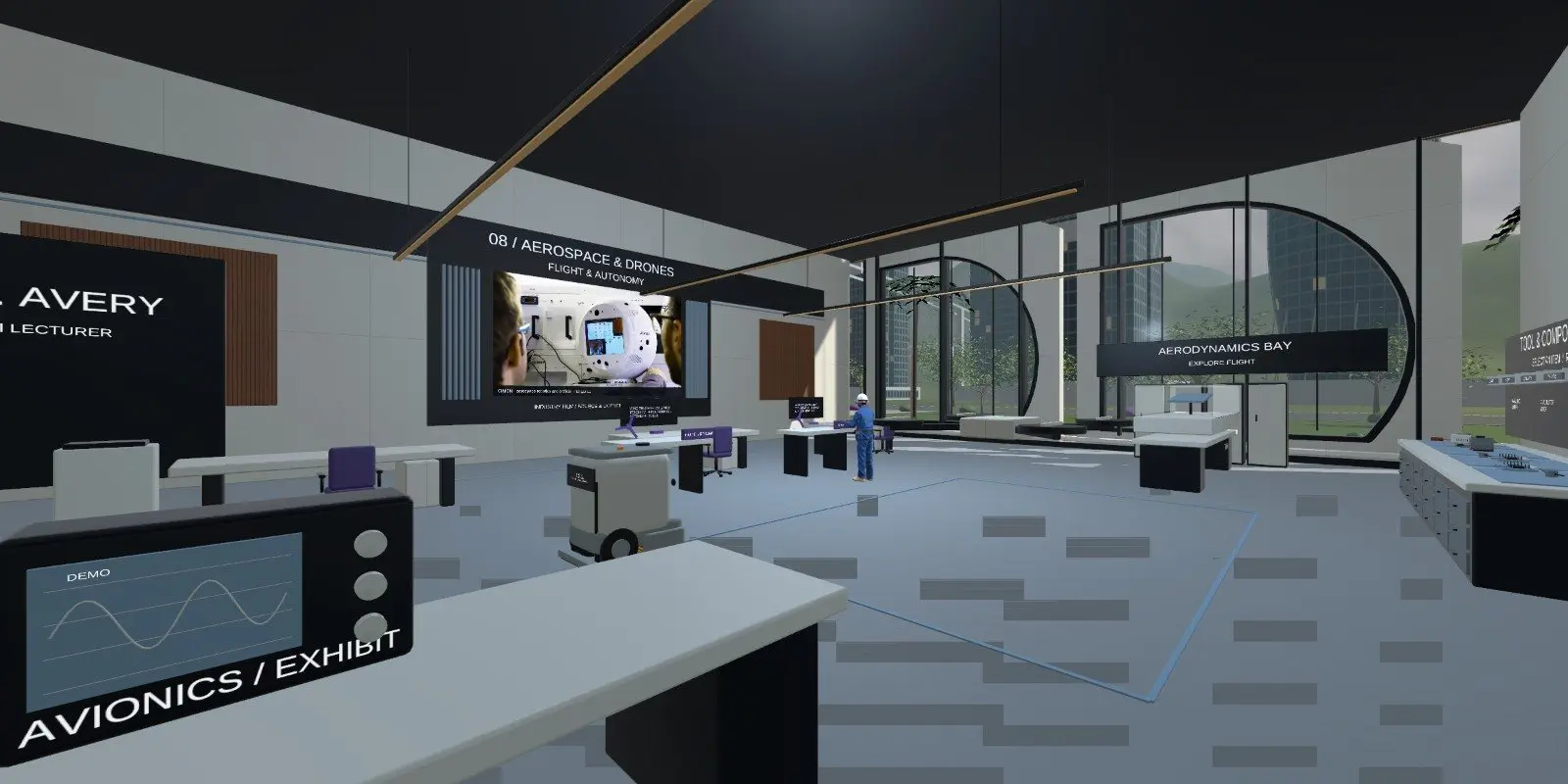
What is inside the virtual aerospace lab?
The Aerospace department is set up around avionics benches and exhibits. Learners can look closely at equipment they would otherwise only see in a textbook or on a slide.
- Avionics benches.
- Exhibits to explore.
- AI lecturers to answer questions.
- Shared space so learners can explore together.
What can learners do in aerospace engineering VR training?
Learners can walk up to the benches and exhibits, look at how equipment is laid out and ask the AI lecturer what they are looking at. Tutors can lead a group through the department and stop at an exhibit to discuss it.
There is no detailed guide for this lab yet, so we do not list individual exercises or simulated systems. The live campus is the best place to see what is in the room today.
Who is the virtual aerospace lab for?
Colleges and universities can use it to introduce avionics and aerospace topics. Training providers can use it for orientation before practical sessions. Employers can use it for familiarisation with equipment types.
It is a teaching space for avionics training in VR. It is not a flight simulator and does not replace approved maintenance or airworthiness training.
How do you open the virtual aerospace lab?
Open https://lab.iuni.ai in a desktop web browser, enter a display name and choose whether to switch your microphone on. There is nothing to install. On a VR headset, open the same address in the headset browser, for example the Meta Quest browser, and use the WebXR entry.
Find the Aerospace department through the lab library.
How does it compare with a physical avionics lab?
| Virtual aerospace lab | Physical avionics lab | |
|---|---|---|
| Handling real avionics units | No | Yes |
| Whole class can see the bench | Yes | Limited by space |
| Cost of equipment kept on site | None | Significant |
| Access outside lab hours | Yes | Limited |
Questions people ask
What is a virtual aerospace lab?
It is a 3D aerospace engineering space that learners enter on a screen or headset. In iUNI, the Aerospace department has avionics benches and exhibits that learners walk through, with AI lecturers to answer questions.
Is it a flight simulator?
No. It is a walkable teaching space with avionics benches and exhibits. It does not simulate flying an aircraft and it does not replace approved maintenance or airworthiness training.
Do learners need a headset for avionics training in VR?
No. The lab opens in a desktop web browser at lab.iuni.ai with nothing to install. A WebXR-capable headset browser, such as the Meta Quest browser, can open the same campus in VR.
Is there a lab guide for the aerospace department?
Not yet. The live guides cover the robotics, electrical, computing and chemical labs. For aerospace, open the campus itself to see the current room, or request a demo and we will walk you through it.
Can a class explore it together?
Yes. The campus is a shared multi-user space, so a tutor and learners can be in the same department at the same time and discuss what they see. Learners can also put questions to the AI lecturer in the department as they go.
Related
See it with your own programmes
Tell us what you teach or train, roughly how many learners, and your timeline. We'll show you how iUNI fits.