Virtual lab: Computing & AI
Virtual data centre training in a virtual computing lab
The iUNI computing and AI lab is a small simulated data centre that learners open in a browser or headset. They inspect the racks, read the console for power, cooling, network and workload states, and run an AI training exercise to see how infrastructure conditions affect progress. It is a teaching simulation.
Live at lab.iuni.ai · no install needed
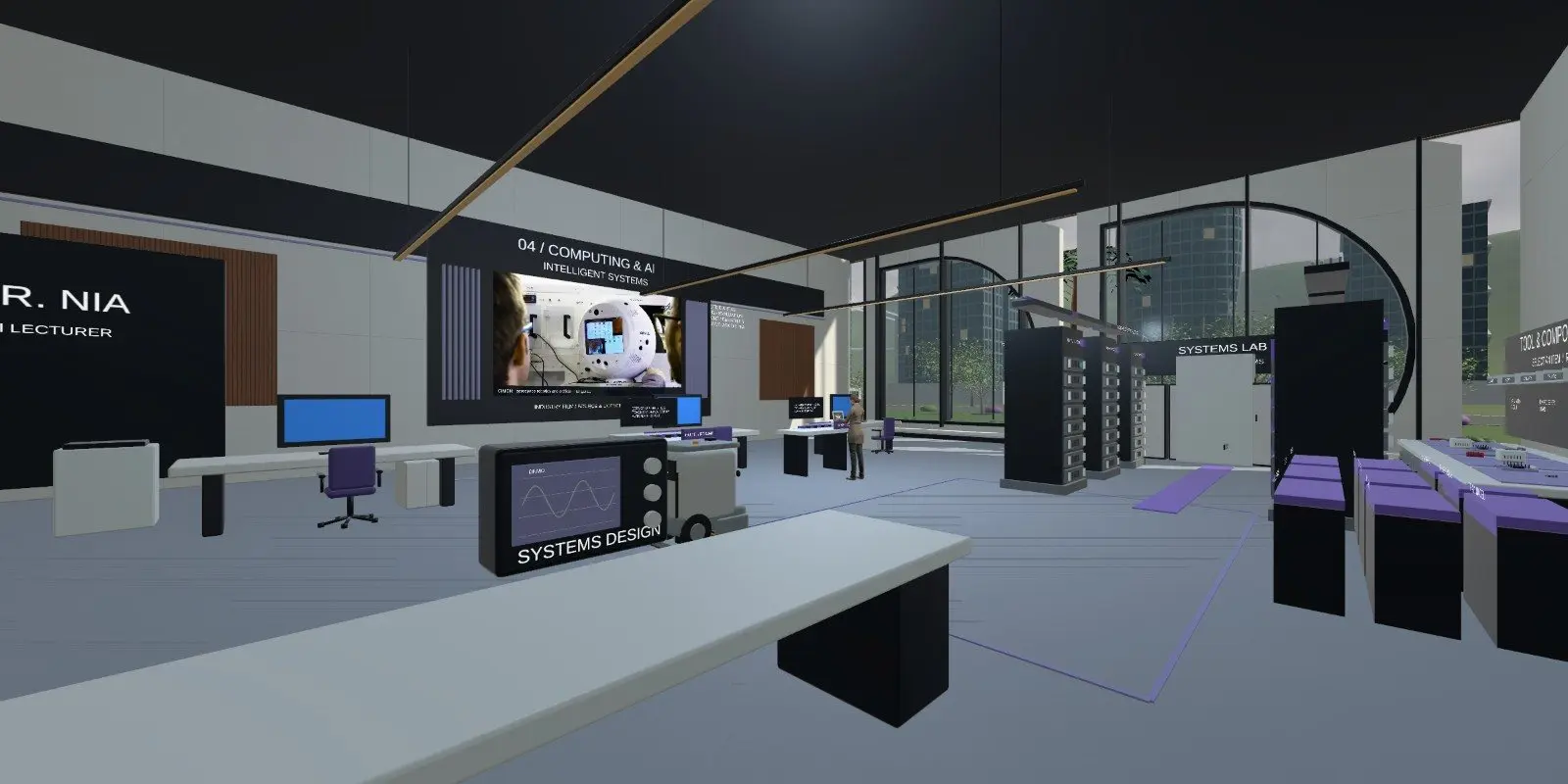
What is inside the virtual data centre lab?
Learners open the Computing and AI room from the lab library. Inside is a small simulated data centre, called a data center by many US readers, with equipment they can walk up to and inspect.
- Server racks to inspect.
- A data centre console showing power, cooling, network and workload states.
- Console controls for power, cooling and training.
- An AI training exercise whose progress can be compared with infrastructure conditions.
- A room lecturer to talk through what the console shows.
What can learners practise in a virtual computing lab?
The guide suggests a clear routine. Review the power, cooling, network and workload states before changing anything. Then run the AI training exercise and compare how training progress responds to conditions in the room.
That turns an abstract idea into something visible: infrastructure affects what a workload can do. Learners can discuss a stalled workload or a temperature change with the lecturer, who uses the simulation context shown on screen.
The guide states that the data centre and console are an educational simulation, not a real cloud or production training system.
Who is this AI lab for students and trainers?
Colleges and universities can use it in computing, networking and AI modules to show why power, cooling and network matter to a workload. Training providers can use it as an introduction to data centre operations. Employers can use it with new infrastructure staff before they enter a real facility.
It does not teach vendor-specific tooling or replace work on real servers. Tutors can run a group through the room together, pause at the console and ask learners to predict what will happen to the workload before anyone changes a control.
How do you open the computing and AI lab?
Open https://lab.iuni.ai in a desktop web browser, enter a display name and choose whether to switch your microphone on. There is nothing to install. On a VR headset, open the same address in the headset browser, for example the Meta Quest browser, and use the WebXR entry.
Choose Computing and AI, then Infrastructure, from the lab library.
How does it compare with a physical data centre?
| Virtual data centre lab | Physical data centre | |
|---|---|---|
| Access for a whole class | Yes, in a browser | Usually restricted |
| Break something without consequence | Yes | No |
| Real hardware, noise and cabling | No | Yes |
| Vendor-specific tooling | Not covered | Yes |
| See power, cooling and workload together | Yes, on one console | Across several systems |
Questions people ask
What is virtual data centre training?
It is learning how a data centre works by exploring a simulated one. In iUNI, learners inspect racks, read a console showing power, cooling, network and workload states, and run an AI training exercise to see how conditions in the room affect progress.
Is it a real cloud or training system?
No. The lab guide states the data centre and console are an educational simulation. They are not a real cloud or a production AI training system. They exist to help learners understand how infrastructure and workloads relate.
Does it work as an AI lab for students?
It gives students a visible AI training exercise and the infrastructure behind it, so they can compare training progress with power, cooling and network conditions. It is an introduction to the link between AI workloads and infrastructure, not a full machine learning course.
Can learners use it without a headset?
Yes. It opens in a desktop web browser at lab.iuni.ai with nothing to install. A WebXR-capable headset browser, such as the Meta Quest browser, can open the same campus in VR if you want it.
Who can talk to the lecturer in this lab?
Learners in the room can discuss a stalled workload or a temperature change with the room lecturer, which uses the simulation context shown on screen. Teachers can use it to prompt discussion before setting follow-up tasks.
Related
See it with your own programmes
Tell us what you teach or train, roughly how many learners, and your timeline. We'll show you how iUNI fits.