Virtual lab: Robotics & Mechatronics
Virtual robotics lab for mechatronics and automation
The iUNI virtual robotics lab is a shared production line you open in a web browser or VR headset. A conveyor supplies boxes, a robot palletises them, an autonomous mobile robot carries the load and a humanoid station unloads. Learners practise reading a process, sequencing and stopping it safely, with no installation.
Live at lab.iuni.ai · no install needed
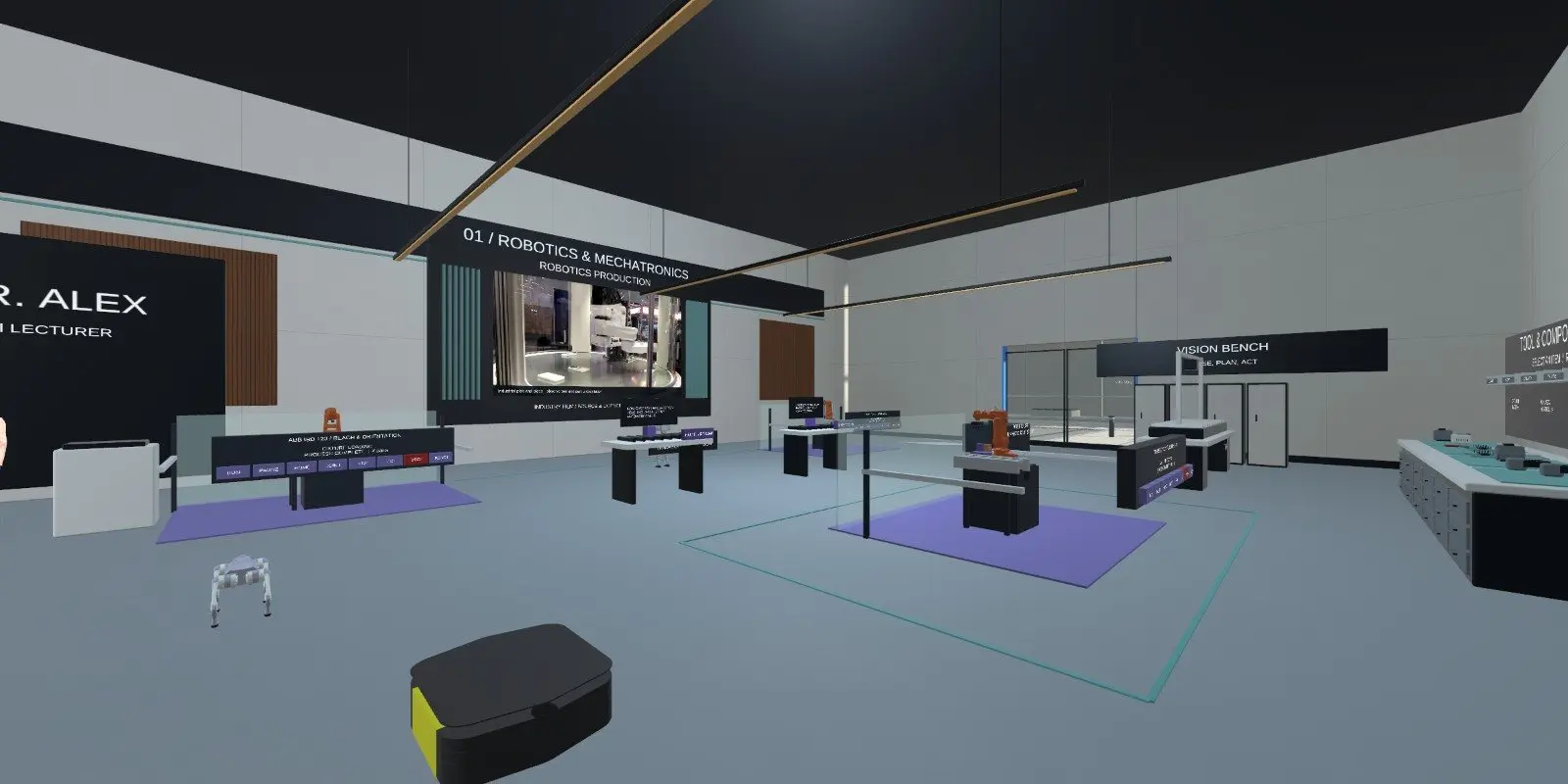
What is inside the virtual robotics lab?
The lab centres on one connected production workflow in the campus atrium. Each piece of equipment hands work to the next, so learners see a whole line rather than a single machine.
- A conveyor that supplies boxes.
- A palletising robot that stacks the load.
- An autonomous mobile robot (AMR) that transports it.
- A humanoid station that handles unloading.
- A line console with start, stop and reset controls.
- A robotics lab and arena, reached through the lab library.
What can learners practise in a virtual mechatronics lab?
The lab guide focuses on palletising and AMR practice. Learners watch the conveyor, the robot movements and the AMR handoff before they start a batch, then follow that batch through loading, transport and unloading.
They build sequence awareness and learn how material flows through a line. They also learn a distinction that matters on real lines: a reset leaves the line paused until someone starts it again, which is not the same as a restart.
An AI lecturer in the department can answer questions about what the learner is looking at.
Who is the industrial robot simulator training for?
Colleges and universities can use it for robotics, mechatronics and automation modules, particularly for the first look at how a line works. Training providers can use it for induction before learners reach a real cell. Employers can show new starters how conveyors, robots and mobile robots fit together.
The guide describes the lab as a software teaching simulation. It does not command physical robots, certify safety or reproduce a particular manufacturer's controller, so it suits understanding and practice rather than programming a specific brand.
How do you open the virtual robotics lab?
Open https://lab.iuni.ai in a desktop web browser, enter a display name and choose whether to switch your microphone on. There is nothing to install. On a VR headset, open the same address in the headset browser, for example the Meta Quest browser, and use the WebXR entry.
Choose Robotics from the lab library. Learners share one scenario. One person holds the line console at a time, which prevents conflicting commands, while others observe and can use the shared stop. Voice is opt-in for nearby participants.
How does it compare with a physical robotics lab?
| Virtual robotics lab | Physical robotics lab | |
|---|---|---|
| Real hardware feel | No | Yes |
| Repeat a sequence as often as needed | Yes | Limited by cell time |
| Many learners watch the same line | Yes, in a shared scenario | Limited by floor space |
| Risk of damage from a wrong command | None to real equipment | Real |
| Programming a specific manufacturer's robot | Not covered | Yes |
Questions people ask
What is a virtual robotics lab?
A virtual robotics lab is a 3D space where learners work with simulated robots and conveyors. In iUNI, the robotics lab is a shared production line with a conveyor, a palletising robot, an autonomous mobile robot and a humanoid station, opened in a browser or headset.
Does it replace training on real robots?
No. It is a software teaching simulation. It does not command physical robots or reproduce a particular manufacturer's controller. It helps learners understand sequence, material flow and stopping procedure before they spend time on real equipment.
Can a whole class use the robotics lab together?
Yes. Learners share one scenario in the campus. One person holds the line console at a time so commands do not conflict, and the others can observe and use the shared stop. Nearby learners can talk if they opt in to voice.
Do learners need a headset for the mechatronics lab?
No. It opens in a desktop browser at lab.iuni.ai with nothing to install. A headset with a WebXR browser, such as the Meta Quest browser, is optional if you want learners to stand inside the line.
Is there a PLC lab as well?
The robotics lab guide does not cover PLC programming. iUNI offers a separate VR PLC/SCADA Digital Twin Lab product for that. See the PLC simulator page for its features. The two sit well together: the robotics lab shows how a line works, and the PLC lab covers the control logic behind it.
Related
See it with your own programmes
Tell us what you teach or train, roughly how many learners, and your timeline. We'll show you how iUNI fits.